AniList
Your anime and manga list with progress, what airs this week, and a feed of the people you follow. Trending titles show without signing in.

A customizable new tab dashboard for Chrome and Brave.
Lux replaces the new tab page with a dashboard you arrange yourself — a grid of widgets in a glassy light or dark theme. Connect an account only when you want its widget. There’s no Lux account, and your setup stays in your browser.
Free & open source · Read the privacy policy
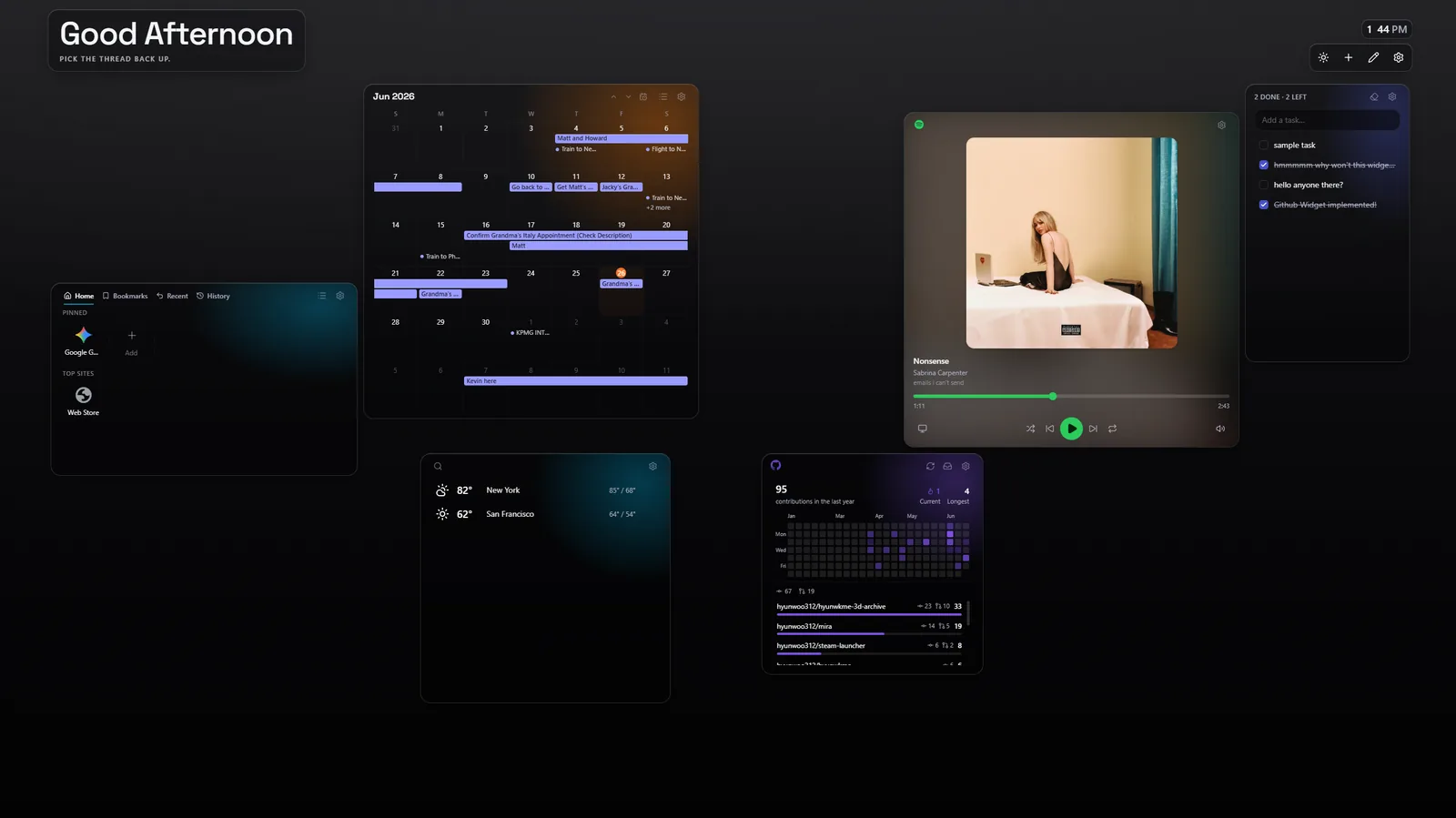
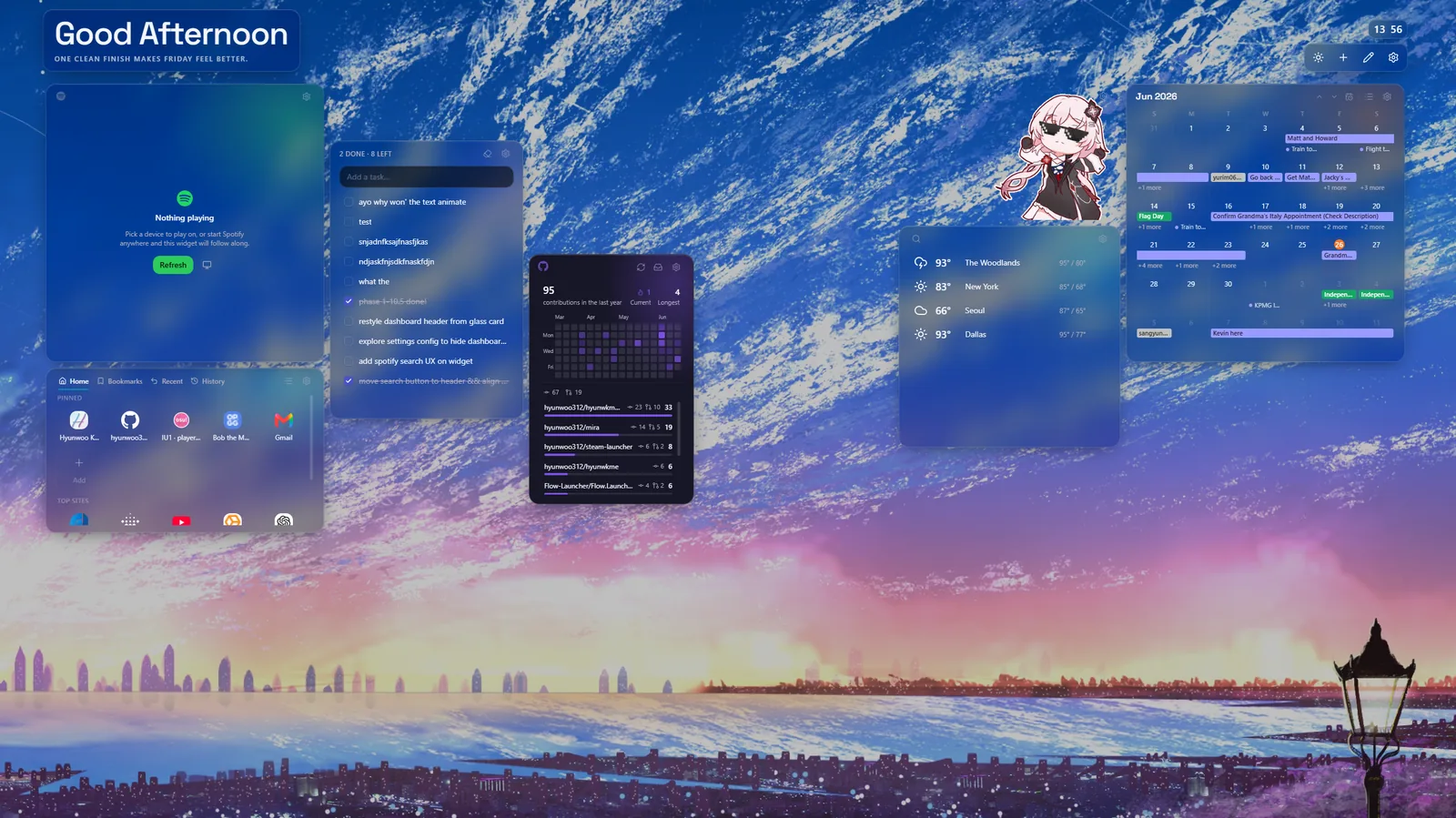
Everything happens on the new tab itself.
Open the widget menu, hover to preview where a widget will land, then click to drop it — or drag it onto the grid yourself.
Hit edit to rearrange: drag a widget to move it, or drag its corner to resize, and the grid reflows around it.
Open a widget’s settings to switch its surface between Glass and Solid, pick an accent, and set its own options.
Set a wallpaper, switch light or dark, and export your whole setup to a file — then import it to restore everything on another machine.
Twelve to choose from, and you can add more than one of the same kind.
Your anime and manga list with progress, what airs this week, and a feed of the people you follow. Trending titles show without signing in.
Google and Outlook events together, read-only — with join links for video meetings, your RSVP at a glance, and a month grid or a list.
Your contribution heatmap with streaks and a per-repository breakdown, an inbox of open pull requests and notifications, and releases from the repositories you watch.
Your own photos on the new tab — a single image, or a slideshow that fades through a set on a timer.
Headlines from Google News, The New York Times, the BBC, The Guardian, NPR, and Yahoo News. Switch sources with a tab; stories open on the publisher’s own site. No account.
A scratch note — plain text, saved as you type.
Pinned tiles for the sites you use, plus your bookmarks, history, recently closed tabs, and most-visited. Drag to reorder, in grid or list.
Live and upcoming scores for the leagues and teams you follow — NFL, NBA, WNBA, MLB, and NHL. Open a game for the line score and game leaders. No account.
Now playing with album art and the full transport — shuffle, skip, repeat, volume — plus search your library and send it to any of your devices. Premium required to control.
A watchlist of the tickers you follow with price, change, and a chart, and the S&P 500, Nasdaq, and Dow tracked above it. No account.
A local to-do list — add, check off, and drag to reorder, with a done / left count. No account.
Current conditions and forecasts for the cities you choose — feels-like, wind, UV, sun times, and an hourly and multi-day outlook. No account.
Connect an account only when you want its widget. Its data is fetched directly from the provider to your browser, never through a Lux server.
Read-only access to your upcoming events, shown on every new tab.
Read-only access to your upcoming Outlook / Microsoft 365 events.
See what’s playing, control playback, and search your library to play (Premium required to control).
Display your contribution graph, notifications, and watched-repository releases.
Your anime and manga lists and notifications. Lux only reads them, apart from actions you take yourself.
Lux reads your data. The only changes it makes are ones you trigger yourself — controlling Spotify playback and, on AniList, liking an activity, updating your progress, or marking notifications read. It never changes your calendars or repositories:
calendar.readonly) and
account email (userinfo.email), read-only.
Calendars.Read) and
basic profile (User.Read), read-only.
Lux’s use of information received from Google APIs adheres to the Google API Services User Data Policy, including the Limited Use requirements: Google data is used only to display your events and identify the connected account, on your device — never transferred, never used for advertising, and never read by humans. See the privacy policy for the full disclosure.
Your settings and account tokens are kept in your browser. There’s no Lux account and no analytics of any kind. Connecting Google, Microsoft, or GitHub goes through a small stateless relay that stores nothing — see the privacy policy for details.